Native vs. Hybrid Mobile App Development: Which One Fits Your Business
Every successful mobile app begins with one key decision that impacts all other choices, and that is how we will build it. As more companies are allocating resources to mobile app development, the decision to go native or hybrid has become one of the most important decisions the founder and product teams make.
You can create the best native apps with the most innovative features or experience the fastest launch time with a hybrid app. But not all solutions are created equal, as it all depends on your budget, timeline, audience, and product vision.
We are going to break down various facts about native vs hybrid app development so you can make a decision aligned with your business and not the latest trend.
What is Native Mobile App Development?
In this method, developers use native programming languages like Swift and Kotlin for Android or iOS app development, targeting a specific platform based on the needs. It allows them to utilize device hardware and OS features in order to achieve the fastest and most reliable performance.
How Are Native Apps Built?
For native app development, the following process is generally used by expert teams.
Platform-Specific Coding: The team can use different languages like Swift for iOS and Kotlin for Android, which are platform-specific and fully optimized for the architecture.
Direct SDK Integration: The app is compiled with platform SDKs, so it has instantaneous access to device hardware, APIs, and operating system functionalities.
Native Testing & Deployment: The Android and iOS mobile app versions are tested and then published on the Google Play Store and the Apple App Store.
Technologies Used: Swift (iOS), Kotlin (Android), Objective-C (legacy iOS), Java (legacy Android), Xcode (iOS IDE), Android Studio (Android IDE), Platform SDKs (Apple & Google)
What is Hybrid Mobile App Development?
Hybrid app development works from the same codebase, which is created with React Native or Flutter, that can be deployed on both mobile platforms. This allows for faster application build time as well as lower development costs, which is a factor in many start-ups and MVPs.
How Are Hybrid Apps Built?
Here, we will discuss the process and the best frameworks for hybrid app development.
Single Codebase Development: Developers write a single codebase by using frameworks like Flutter or React Native, which target both platforms.
Cross-Platform Rendering: The framework compiles the code through a WebView to deliver a native experience, adapting the UI across iOS and Android devices.
Unified Testing & Deployment: The single build is tested across both platforms together, then deployed simultaneously, saving significant time before launch.
Technologies Used: React Native, Flutter, Ionic, Apache Cordova (PhoneGap), WebView, Xamarin, Dart (Flutter’s language)
Native vs. Hybrid App Development: Key Differences at a Glance
Are you confused about which one to choose between native vs hybrid app development? This section brings key aspects that may assist enterprises in understanding the two approaches easily. These include performance, timeline, design, maintenance, and more, with specific descriptions.
It will allow them to prepare a budget and select a tech stack for mobile apps by matching each factor with the requirements. Let’s examine the following table and explore the points.
| Parameter | Native | Hybrid |
| Performance | Delivers the fastest speed with direct hardware and OS-level access | Slightly slower due to an extra abstraction layer for cross-platform code |
| Development Cost | Higher, since separate codebases require two specialized development teams | Lower, as one shared codebase covers both iOS and Android |
| Process Timeline | Longer, since both platforms are built and tested independently | Shorter, since one build deploys simultaneously to both platforms |
| Codebase | Separate codebases written in Swift/Kotlin for each platform | Single shared codebase written once using cross-platform frameworks |
| UI/UX | Highly polished, platform-authentic experience matching design guidelines | Good but slightly less refined, sometimes not fully platform-native |
| Maintenance | More expensive, since updates must be coded and tested twice | Cheaper, since updates apply across both platforms simultaneously |
| Device Access | Full, direct access to camera, GPS, sensors, and biometrics | Limited access often needs plugins or bridges for hardware features |
| Best For | Performance-heavy apps like gaming, fintech, and healthcare wearables | Budget-conscious apps like MVPs, e-commerce, and content-driven platforms |
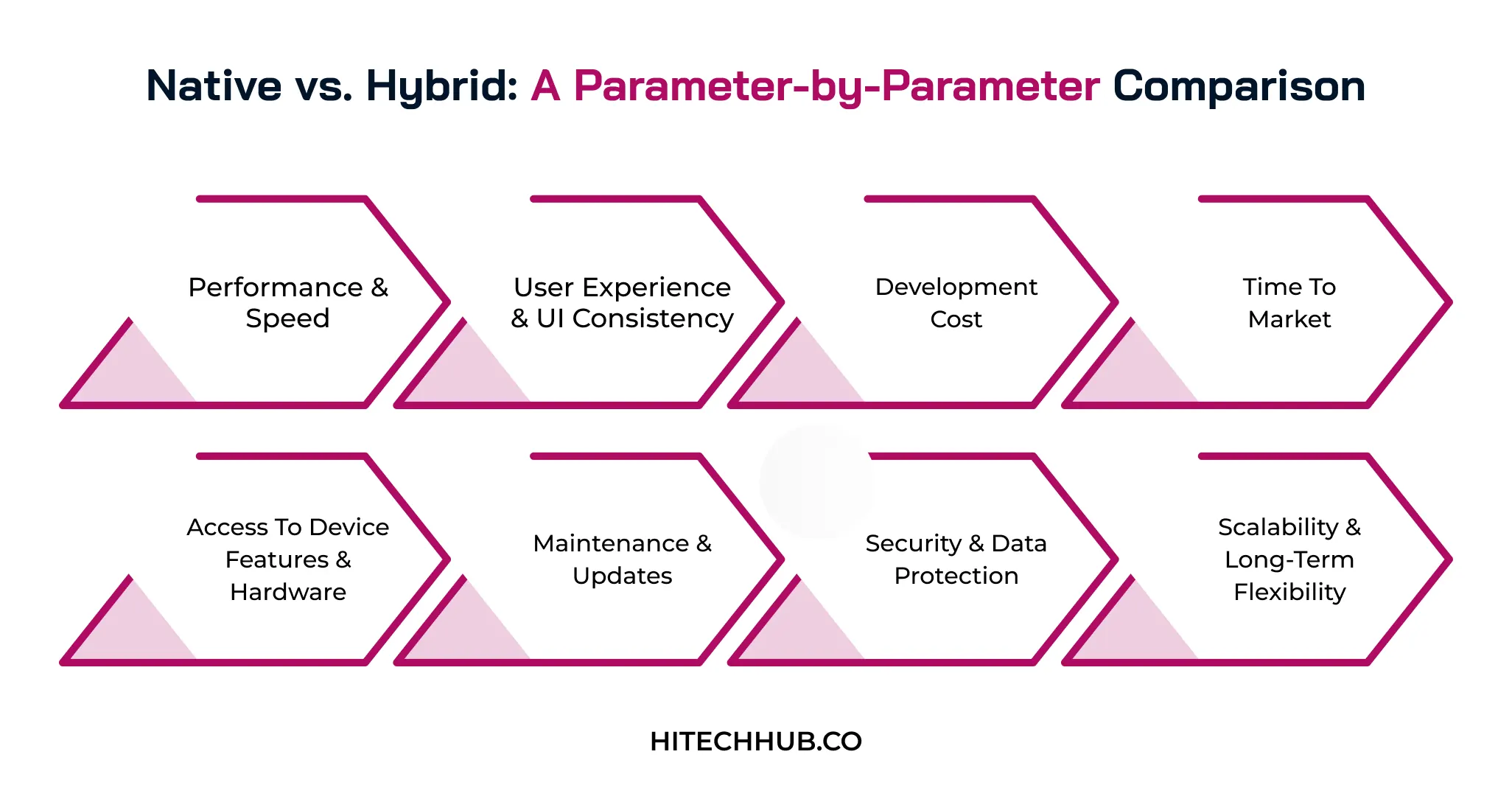
Native vs. Hybrid: A Parameter-by-Parameter Comparison
We have seen a quick introduction to the difference between native and hybrid apps based on several parameters. Here, they are described in detail with the best approach, helping businesses to make their choices easily.
1. Performance & Speed
Native apps are inherently quicker in load time and offer more fluid animation, particularly when dealing with graphically intensive requirements. Hybrid apps are slower, as they run in an extra layer of abstraction, which can be a severe issue when running demanding applications.
Best Approach: Native when speed and smooth animations are non-negotiable.
2. User Experience & UI Consistency
Various native apps follow each platform’s design mandates to provide the user with a perfect iOS or Android experience. Hybrid apps can be developed easily to appear similar across all platforms but cannot match the native level of refinement and responsiveness.
Best Approach: Native for a platform-authentic feel; hybrid for consistent branding.
3. Development Cost
In native development, it requires two separate teams building for iOS and Android independently, which significantly increases the overall project cost. Cross-platform app development uses one shared codebase, allowing businesses to build for both platforms at a lower investment rate.
Best Approach: Hybrid when budget constraints outweigh platform-specific performance needs.
4. Time to Market
As the native app development timeline is longer because both platform versions are developed, tested, and refined as separate parallel projects, it takes more time to launch. Hybrid apps reach the market faster because a single codebase is built once and deployed simultaneously across platforms.
Best Approach: Hybrid to launch faster and validate ideas quickly.
5. Access to Device Features & Hardware
Native applications can use various hardware, such as camera, GPS, or fingerprint sensors, with no performance overhead. Hybrid mobile app frameworks may need to use plugins or bridges, which occasionally limits or slows down their features.
Best Approach: Native for apps demanding deep hardware and sensor integration.
6. Maintenance & Updates
Native applications involve one update, such as bug fixes or OS version compatibility changes, to make two different applications. A hybrid application simplifies this, as the update can be created once and applied equally to both platforms.
Best Approach: Hybrid to simplify long-term updates across both platforms.
7. Security & Data Protection
The native application is more likely to have better access to security features built into the platform and to have closer integration with OS-level encryption and authentication features. Hybrid apps mostly depend heavily on various third-party frameworks that may also have security risks.
Best Approach: Native for apps handling sensitive financial or medical data.
8. Scalability & Long-Term Flexibility
Several native apps can easily scale for complex, high-performance products but require ongoing investment to maintain two separate codebases. Hybrid apps scale efficiently for most business needs, though highly advanced features may eventually require a shift toward native development.
Best Approach: Native for complex product planning and aggressive future feature expansion.
Pros and Cons of Native App Development
Businesses knowing the pros and cons of native apps can easily decide whether to choose this approach or not. This decision helps them to invest in iOS or android app development services based on the target users, feature requirements, safety needs, and maintenance costs. This section provides a table that describes the key advantages and limitations of native platforms.
| Advantages | Limitations |
| Delivers the fastest performance since the app compiles directly to platform-native code | Requires separate codebases for iOS and Android, doubling development effort |
| Offers full access to device hardware, like cameras or sensors, and APIs without plugins | Higher upfront cost due to hiring two specialized development teams |
| Provides a smoother, more consistent UI/UX that matches platform-specific design guidelines | Longer time to market since both platforms are built and tested independently |
| Easier to pass app store review since it follows native performance and design standards | Less code reusability, making it harder to scale quickly across platforms |
Pros and Cons of Hybrid App Development
In hybrid app development, both cross-platform and native solutions are used according to the project specifications. This approach is now being widely accepted by most developers but has a few drawbacks that an enterprise should know.
It is beneficial to hire React Native developers who help to understand various pros and cons of this model in detail. The following table offers major benefits and limitations in adopting hybrid solutions.
| Advantages | Limitations |
| Uses a single codebase for both iOS and Android, cutting development time significantly | Performance can lag behind native apps, especially for graphics-heavy or complex apps |
| Lower development cost since one team builds for both platforms simultaneously | Limited access to certain advanced device features without native plugins or bridges |
| Easier and cheaper to maintain, as updates and bug fixes apply across both platforms at once | Heavier reliance on third-party frameworks and plugins, which can introduce compatibility issues |
| Simplifies scaling and future feature rollouts since changes don’t need to be duplicated | App store approval can occasionally take longer if platform-specific guidelines are not met |
Cost Comparison: What Does Each Approach Actually Cost?
To understand the hybrid or native app development cost and timeline, businesses can hire Flutter development teams that specialize in both methods. In this section, we are looking at the estimated costs based on several complexity factors and their timeline differences.
This will give you an idea of how much to invest for a basic, medium-sized, or enterprise platform.
| App Complexity | Native Cost Range | Hybrid Cost Range | Timeline Difference |
| Simple / MVP App (basic UI, few screens, no backend) | $15,000 – $40,000 | $10,000 – $30,000 | Hybrid is ~1–2 weeks faster |
| Basic App (login, APIs, standard features) | $40,000 – $80,000 | $30,000 – $60,000 | Hybrid is ~2–4 weeks faster |
| Medium Complexity App (custom UI, payments, backend integration) | $80,000 – $150,000 | $60,000 – $90,000 | Hybrid is ~4–6 weeks faster |
| Complex App (real-time features, multiple third-party integrations) | $150,000 – $220,000 | $90,000 – $140,000 | Hybrid is ~6–8 weeks faster |
| Enterprise-Grade App (AI/ML, advanced security, high scalability) | $220,000 – $300,000 | $140,000 – $200,000 | Hybrid is ~8–10 weeks faster |
Which Industries Should Choose Native vs. Hybrid?
Every industry wants to develop a mobile app for users but gets confused about whether to develop an iOS app, an Android one, or a cross-platform solution.
The selection is purely based on the project needs, budget, market demand, and future scope. But we can identify specific models for each domain according to the services they provide. Here is a detailed table that explains why a particular approach is suitable for a specific industry.
| Industry | Recommended Approach | Why Required |
| Gaming & AR/VR Apps | Native | Needs high frame rates, GPU access, and real-time rendering that only native code can deliver smoothly |
| Healthcare & Fitness (Wearables) | Native | Requires deep integration with sensors and wearable hardware, plus strict HIPAA-level reliability and security |
| Fintech & Banking | Native | Security-critical transactions need biometric authentication, encryption, and consistent real-time performance |
| On-Demand & Logistics (Ride-Sharing, Delivery) | Native | Depends on continuous GPS tracking, background location access, and dependable push notifications |
| E-Commerce & Retail | Hybrid | Frequent catalog and content updates benefit from a single codebase and faster release cycles |
| Media, News & Streaming Apps | Hybrid | Content-driven and update-heavy, with lighter hardware demands that don’t require native performance |
| Education & E-Learning | Hybrid | Budget-conscious projects with broad but moderate feature sets scale faster with one shared codebase |
| Travel & Hospitality (Booking Apps) | Hybrid | Prioritizes quick go-to-market and easy content/UI updates over deep hardware integration |
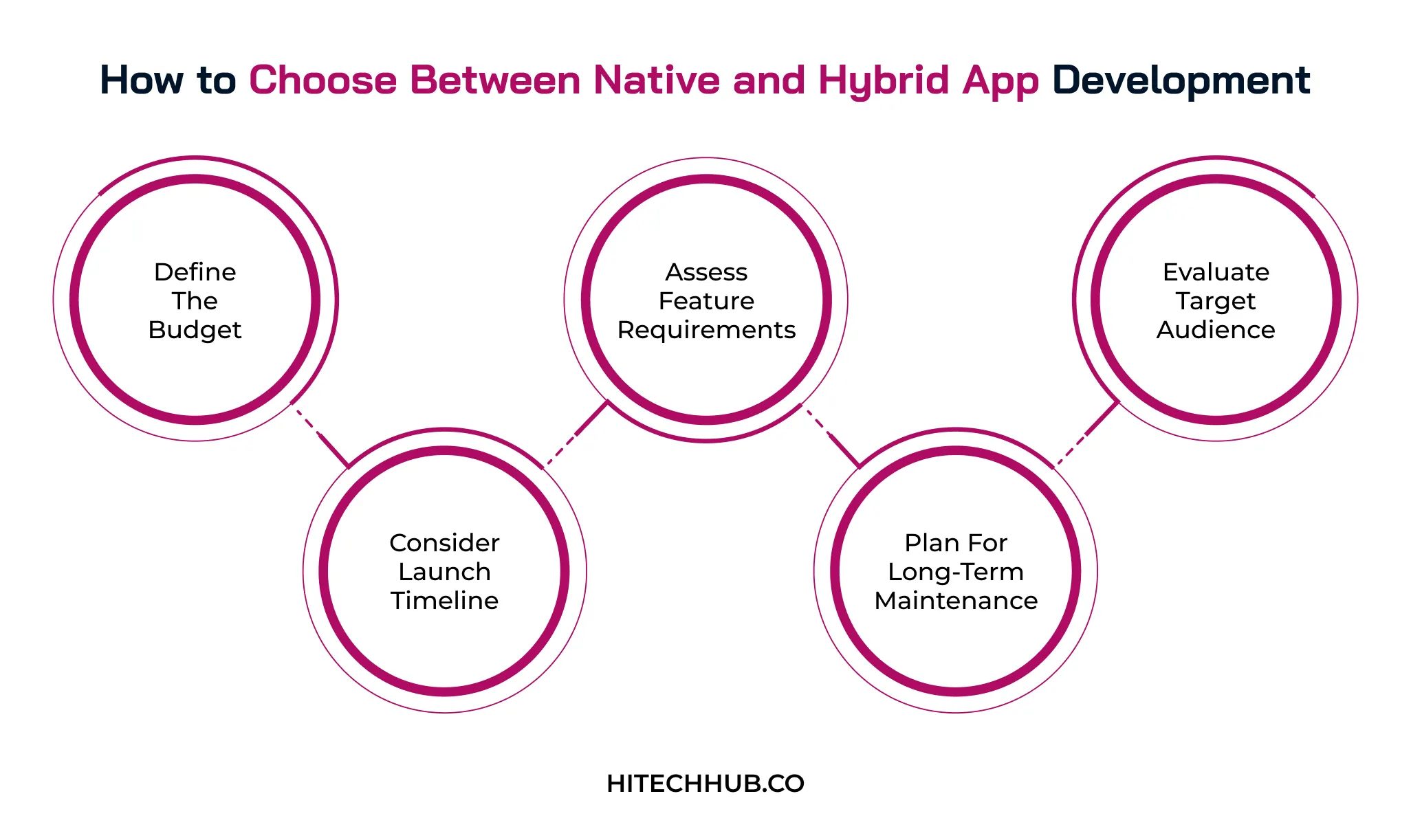
How to Choose Between Native and Hybrid App Development
This section discusses some crucial points that may help businesses to choose a native vs hybrid mobile app for app development and deployment. From budgeting to maintenance, we have covered major factors that help in better platform selection.
1. Define The Budget
The available budget is often the deciding factor, since native development requires two separate teams while hybrid needs just one. If funds are limited or businesses are validating an idea first, hybrid stretches the budget further without compromising the core experience.
2. Assess Feature Requirements
It is important to find various hardware and performance features, like camera access, GPS tracking, or heavy graphics rendering. Apps demanding deep device integration or high-end performance require native, while a simpler, content-driven MVP in mobile apps works well with hybrid.
3. Evaluate Target Audience
An entrepreneur needs to know user activities and their real-time preferences, as a native app experience is much more platform-authentic. If the target audience is on both iOS and Android with similar expectations, then hybrid allows you to cater to all with one build.
4. Consider Launch Timeline
The hybrid approach helps businesses to release their apps to market faster with a single development cycle. Native takes longer since both platforms are built and tested independently, but it pays off for apps built for long-term scalability.
5. Plan for Long-Term Maintenance
Businesses should focus on maintenance because future updates, bug fixes, and OS changes need ongoing developer time and cost. For native, it is necessary to maintain two codebases, while hybrid keeps updates centralized and easier to manage as the app grows.
Common Mistakes Businesses Make When Choosing an App Type
Most investors make mistakes while selecting a development strategy to build a mobile app because of improper guidance and a knowledge gap. Some of the crucial error points are discussed in this section that every enterprise must consider. So they can prevent several issues related to the native app vs cross-platform app development process.
- Following trends rather than needs: If you choose a framework because it is trending, rather than assessing actual app requirements, then it may lead to mismatched performance.
- Ignoring platform-specific design guidelines: By applying one generic UI across iOS and Android, businesses ignore platform design standards, making the app experience unnatural.
- Not involving developers early: Finalizing the native-vs-hybrid choice without technical input often causes costly mid-project pivots once real constraints surface.
- Underestimating app store approval requirements: Businesses that overlook how Apple and Google evaluate performance and compliance differently may face rejected submissions and delays.
- Overlooking the team’s existing skill set: Selecting a framework the team doesn’t know creates steep learning curves, slowing development and inflating overall costs.
Conclusion
In the end, which development route businesses choose depends on their needs, like quality performance or delivering faster and more affordable versions to the market. No approach is better than the other, as it all depends on the budget, time-to-market, and future objectives.
It is necessary to analyze which aspect is most important and know whether to prefer native or cross-platform app development. Hitech Hub is the right agency to help investors hire an app development company that can deliver the best results that match their exact requirements and goals.
FAQs
Can a hybrid app be converted to native later?
A hybrid application can be converted into a native app, but the codebase must be rewritten for each platform. The native app must have the same package and application ID for Android and a bundle ID and signing certificates for iOS. The backend servers, databases, business logic, and APIs are not changed.
Are Flutter and React Native considered hybrid or native?
Flutter and React Native are cross-platform frameworks that are connected to both native and hybrid mobile solutions. They use a single codebase for coding applications and also deliver a near-native app experience. React Native uses native UI components for the user interface, whereas Flutter compiles to C/C++ machine code.
Which approach is better for an MVP?
In general, hybrid frameworks are used to build a minimum viable product, as they allow cost savings and faster market launch. Additionally, these tools allow investors to ensure idea validation and deliver easy app updates. For heavy performance needs, security, and hardware integration, businesses can choose a native platform.
How does the choice affect app security and compliance?
Mobile app security is impacted by OS-level control, plugin vulnerability, code exposure, audit complexity, and data patching. Native architectures ensure secure data storage and cryptographic standards, but hybrid requires strict integrations. Also, hybrid solutions depend on third-party plugins, which increase the risk of attacks.

Eshika Jain
22-September-2026
Top Categories

NEED HELP SELECTING A COMPANY?
With the fast-paced world of web development today, keeping pace.
Connect With Us