iOS App Development in 2026: A Complete Guide
The iPhone remains a powerful business platform to reach actively interested, financially solvent consumers. But the building blocks for future iOS app development no longer match previous frameworks.
Swift 6, SwiftUI, on-device AI, and changes around Apple privacy guidelines mean that app design, development, and adoption have increased rapidly. This has brought many advantages but also made the prospect of driving a growing business more challenging.
Whether you’re building new apps from scratch or modernizing existing systems, tools, technology trends, and development processes are always important. You can easily create a business app that performs, scales, and abides by Apple’s more restrictive criteria.
This guide has listed all the information a business must have before developing standard iOS platforms.
Why iOS App Development Still Matters?
iOS application development is crucial for businesses because they can experience high monetization rates, strong brand loyalty, and heavy spending on the App Store within Apple’s user base.
The Swift framework helps them to ensure optimal performance, strict adherence to privacy standards, and seamless integration with cutting-edge device capabilities.
- iOS mobile app users spend more on in-app purchases, subscription models, and integrated services than other platforms.
- Apple’s ecosystem ensures premium quality, security, and reliability of features with an engaging interface and a responsive backend.
- Various iOS SDKs provide seamless connectivity across iPhone, iPad, Mac, and Apple Watch, ensuring a high user experience.
- With strict App Store guidelines, it builds greater user trust in app safety and data handling.
- Users get early access to advanced features like Apple Intelligence, ARKit, and SwiftUI, keeping businesses ahead in the competition.
The Modern iOS Tech Stack
Businesses develop iOS applications by using a tech stack that offers advanced tools and technologies, such as SwiftUI. This section provides the key aspects that help organizations to understand the tech stack in detail.
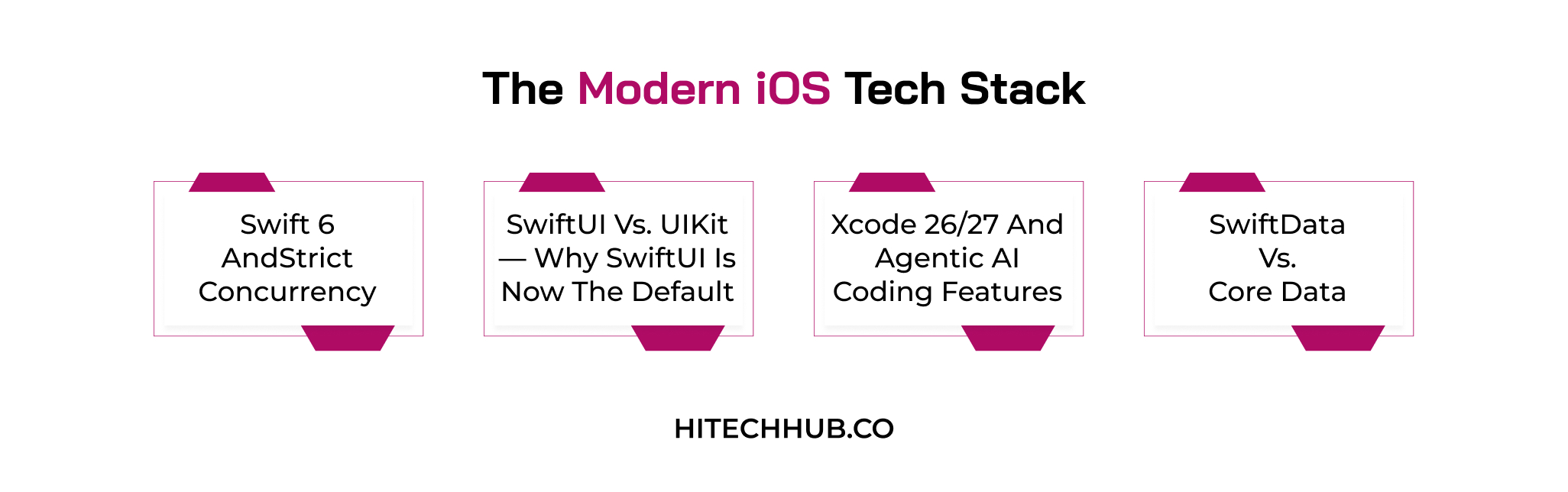
1. Swift 6 and Strict Concurrency
The compiler will strictly enforce concurrency checking and data race catching at compile time with Swift 6. This facility ensures that the multi-threaded iOS application is safer, more stable, and less prone to crashes involving shareable, mutable data.
2. SwiftUI vs. UIKit — Why SwiftUI is Now the Default
SwiftUI is a modern, native development framework on Apple, providing a declarative syntax to build UIs faster on all of Apple’s operating systems. UIKit is still needed for legacy codebases and deeply custom UIs, but most new codebases start with a SwiftUI-first approach.
3. Xcode 26/27 and Agentic AI Coding Features
AI agents support Xcode so that developers can use AI tools like Anthropic’s Claude Agent or OpenAI’s Codex for documentation and confirm stability by debugging issues. AI will assist developers through highly complex and multi-step tasks without requiring any interaction other than to begin the process.
4. SwiftData vs. Core Data
SwiftData is the most modern and Swift-oriented persistence library, built with ease of use and tight integration with SwiftUI for new applications. Core Data is a tested option that comes with a proven track record suitable for many kinds of complex data and deeply backward-compatible application architectures.
| Xcode Version | Swift Version | iOS SDK | App Store Submission Requirement |
| Xcode 14 | Swift 5.7 | iOS 16 | Legacy—no longer accepted for new submissions. |
| Xcode 15 | Swift 5.9 | iOS 17 | Enforced as the floor since April 29, 2024—now below the current floor. |
| Xcode 16 | Swift 6.0 | iOS 18 | Below today’s floor, submissions built with Xcode 16 are rejected at upload. |
| Xcode 26 | Swift 6.2 | iOS 26 | As of April 28, 2026, apps must be built with the iOS 26 SDK or later—the current mandatory floor. |
| Xcode 26.6 (latest patch) | Swift 6.2+ | iOS 26 | Latest stable patch (26.6, June 2026)—recommended for all new submissions. |
Key iOS App Development Trends
To stay updated and competent in the market, it is crucial to know the various trends that are common for iOS applications. You will study key innovative trends in this section so it is easy to make changes whenever required.
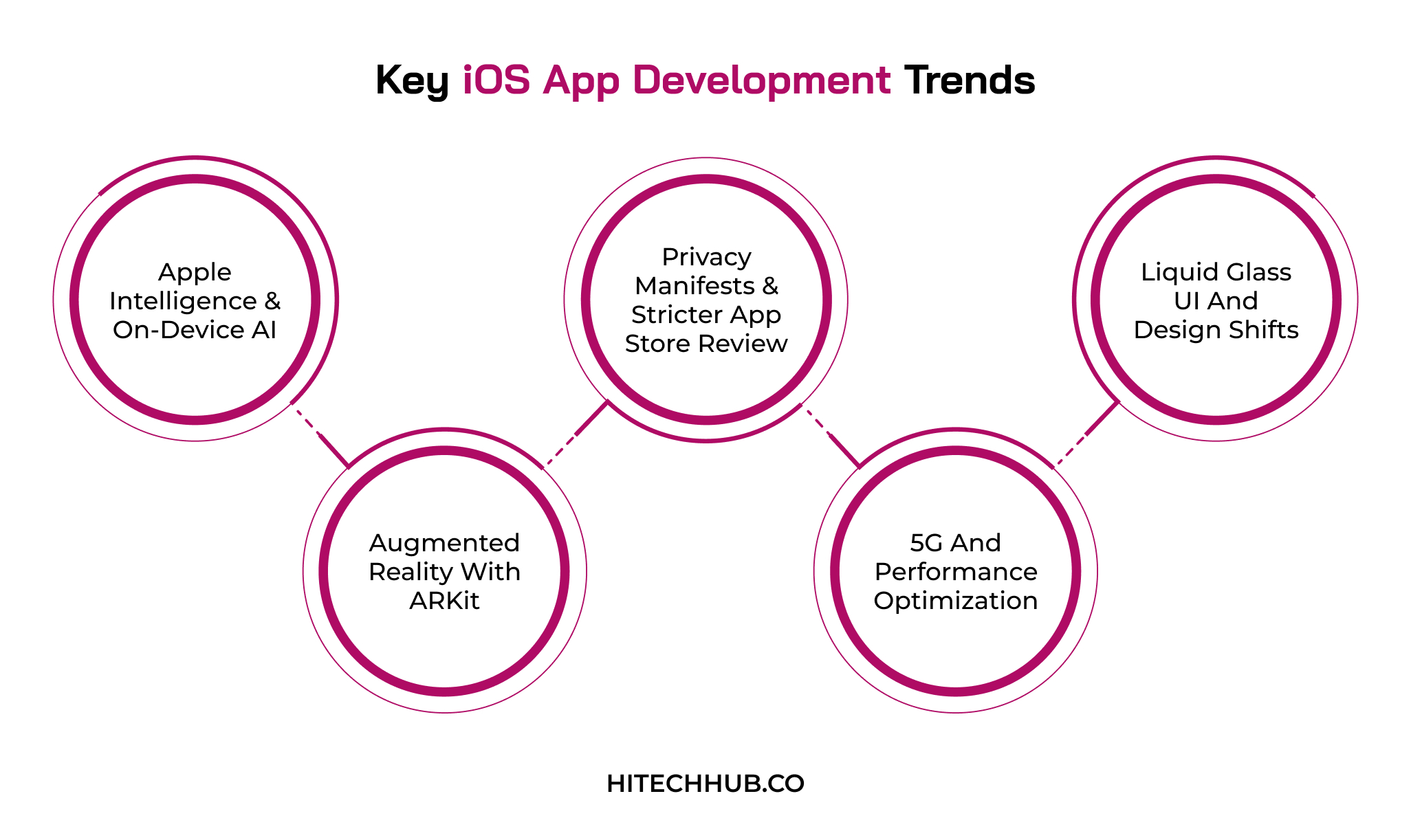
1. Apple Intelligence & On-Device AI
Apple Intelligence provides powerful on-device GenAI tools through a foundation model framework, allowing smart features without sending personal data off-device. Developers can now implement tailored experiences like writing assistance, summarization, and image generation directly within apps.
Business Impact: Saves money on cloud infrastructure while building user confidence with privacy-first AI features.
2. Augmented Reality with ARKit
ARKit is transforming iOS for immersive spatial experiences, with apps now seamlessly blending digital content with the real world using a device’s camera and sensors. The retail, real estate, and education sectors are adopting AR for everything from virtual try-ons to walkthroughs and educational tools.
Business Impact: Brings increased engagement and conversion through interactive usage models.
3. Privacy Manifests & Stricter App Store Review
Apple is now demanding in-depth Privacy Manifests outlining what app data developers are capturing and for what reasons, coupled with strong rationale for specific API usage. App Store reviews are strict because they have a greater emphasis on transparency in data collection and on third-party SDK behavior.
Business Impact: Mitigates app rejection risk and increases user trust through transparency.
4. 5G and Performance Optimization
With 5G, iPhone app development agencies must take full advantage of faster speeds, streaming latency, and real-time functionality without compromising battery performance. Developers are optimizing apps while ensuring smooth, performance-enhanced experiences for new and older devices alike.
Business Impact: Increases user retention while offering superior load times and real-time user experiences.
5. Liquid Glass UI and Design Shifts
Apple’s new design language called Liquid Glass introduces dynamic, translucent, and flowing visual components with the most immersive and exciting interface. This is forcing developers to reimagine UI elements using SwiftUI’s evolving design system to match the look and feel across the Apple ecosystem.
Business Impact: Builds credibility and strengthens brand image while giving apps a contemporary, fully native-feeling presence.
A Step-by-Step iOS App Development Process
Here, we are focusing on the process of developing iOS apps through different stages, from planning to app updates. This helps enterprises to manage their budget initially and plan for future business growth.
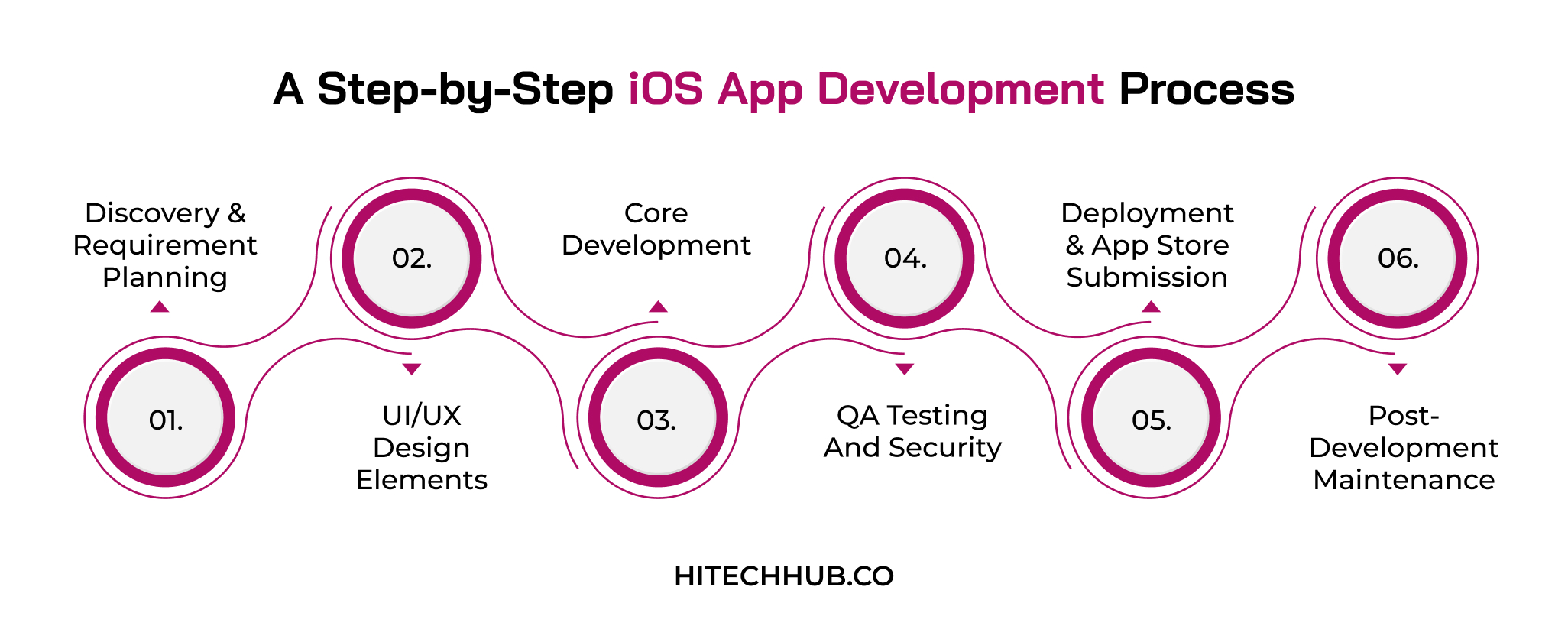
1. Discovery & Requirement Planning
During this phase, the purpose, target users, and main functionalities of the app are clearly defined through a series of meetings with the stakeholders. The team will conduct a thorough market research study and analyze the competition to validate the concept and gather all technical requirements needed. A defined roadmap, full list of functionalities, and timeline of the project will be produced at the end.
2. UI/UX Design Elements
The designers transform the requirements into wireframes and interactive prototypes in Figma with a priority on ease of use and smooth navigation. The visual design will comply strictly with Apple’s Human Interface Guidelines by including new features such as the Liquid Glass UI that provides a native feel. Collaboration with the clients will ensure a perfect reflection of the brand throughout this phase.
3. Core Development
The application is built using Swift and SwiftUI, as the code follows scalable iOS app development services with standard coding patterns. The back end is integrated using API connections, and the database is created along with the front end so data can flow effortlessly. Sprint reviews will be held weekly to verify that the app is proceeding according to the design specification.
4. QA Testing and Security
QA engineers conduct functional, performance, and usability tests across a variety of different devices and iOS versions, ensuring bugs are captured early. They track data vulnerabilities, robust API security, and Apple’s privacy requirements in order to prevent security loopholes. Swift Testing and TestFlight are used to observe application performance in a real-world environment while it is prepared for launch.
5. Deployment & App Store Submission
This is the penultimate phase, which will involve finalization of mandatory metadata, including screenshots and completion of the privacy manifest. Developers ensure that the mobile app satisfies Apple’s most recent Xcode version and SDK requirements so it is not rejected during the review process. Once it is accepted by Apple, the application is released on the App Store for public download.
6. Post-Development Maintenance
After releasing the iOS app in the market, the development team tracks app performance and crash reports with real-time models. Additionally, the experts monitor user feedback with other metrics to find where it is beneficial to optimize the overall user experience. They can easily fix and update bugs, delivering support for newer versions of iOS and satisfying updated security protocols.
Cost & Timeline Factors for Developing iOS Apps
For any entrepreneur looking to develop iOS applications, it is crucial to understand how the cost and timeline are impacted. In general, mobile app complexity is the key factor responsible for affecting the budget. It includes core features, integrations, cloud deployment, and security advancements. In this section, we will explore the average cost and duration based on the following market factors.
| App Type | Timeline | Estimated Cost Range |
| Simple App with Basic Features | 2–3 months | $20,000 – $40,000 |
| Moderate Complexity App (custom UI, third-party integrations) | 4–6 months | $40,000 – $75,000 |
| Complex App (AI/ML integration, backend-heavy architecture) | 7–9 months | $75,000 – $110,000 |
| Enterprise-Grade App (advanced security, scalable infrastructure) | 10–12 months | $110,000 – $150,000 |
Choosing the Right iOS Development Partner
Enterprises need to analyze the technical expertise of developers, review past portfolios, verify ethical concerns, and assess communication skills. An iOS mobile application development company must specialize in delivering scalable architecture and reliable post-launch maintenance support. Here is a process that businesses may follow to hire expert teams.
- Evaluation: It is crucial to assess past performance and experience with Swift 6, SwiftUI, and current Xcode tooling.
- Portfolio Mapping: The experts must have a proven track record of App Store approvals and privacy manifests with high submission rates.
- Project Management: The team should provide clear timelines, regular updates, and transparent collaboration throughout the process.
- Client Testimonials: Enterprises can speak with past clients to understand the team’s reliability and problem-solving approach.
- Confirmation: Hire the agency that ensures ongoing support for updates, bug fixes, and future iOS releases.
Conclusion!!
The development of iOS apps is more than coding, like Swift 6, on-device AI, increasing focus on privacy standards, and Apple’s strict guidelines on the App Store. Businesses should work with a reliable and experienced team with the right expertise because the app launch may get costly.
The iOS app development companies at HiTech Hub are updated about changes and assist you in developing a secure, scalable, and futuristic iOS app. It will increase brand visibility due to its best features and performance.
If you want to turn your dream app idea into reality with the help of such an amazing set of professionals, feel free to contact us.
FAQs
Q.1 When to Choose iOS Over Android?
Businesses that want to target high-income demographics, regions with increased iPhone adoption, or subscription models must choose iOS over Android. It also offers faster initial development cycles with fewer device integrations and complex security standards.
Q.2 Do I Need to Migrate to Swift 6 Immediately?
This practice is discouraged because large codebases can experience a high volume of strict concurrency errors. The Swift 6 language offers an opt-in mode that allows teams to adopt an incremental strategy, reduce refactoring costs, and update dependencies.
Q.3 How Long Does it Take to Get an App Approved on the App Store?
The average time required to get app approval from the App Store is between 24 hours and 48 hours for standard iOS mobile applications. The overall submission time may be delayed due to missing demo accounts, contact details, or incomplete metadata.
Q. 4 Can I Still Use Objective-C for New iOS Projects?
Apple does not allow developers to use Objective-C on the Swift framework, but Xcode fully supports this object-oriented language. It can directly include C and C++ libraries and foundational SDKs, ensuring maximum compatibility across a wider range of legacy projects.

Eshika Jain
19-August-2026
Top Categories

NEED HELP SELECTING A COMPANY?
With the fast-paced world of web development today, keeping pace.
Connect With Us